Making sure they are who they say they are
Three things to match: the code, the photo and the name. It takes about five seconds and it's the whole check.
3 min read
In short
- The code on their phone matches the code on the board.
- The photo on the row looks like them.
- The tag says Active, not Completed or Awaiting payment.
A Wall Pass check-in is already paid, so the only question left at the desk is whether the person in front of you is the person who paid. You're not checking ID. You're making sure one phone isn't being passed around a group.
The three matches
Step 1: The code matches the board
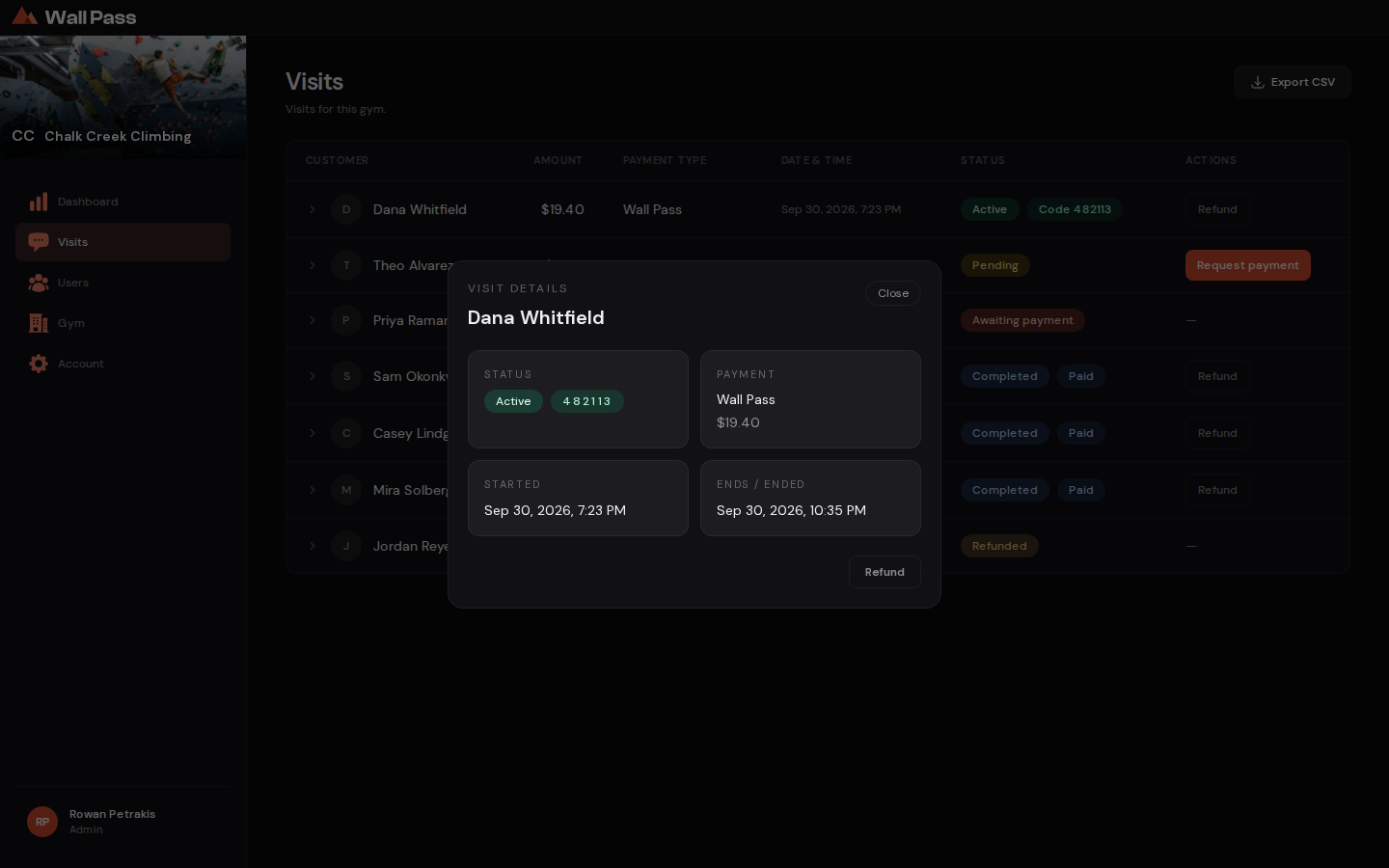
Six digits, on their phone, in the Wall Pass app. It must match the code on their row. A code that isn't on your board is not a check-in at your gym.
Step 2: The photo looks like them
Every row on the board carries the climber's own profile photo. Glance at it. If there's no photo, use the name instead.
Step 3: The status says Active
Green Active means paid and currently valid. Completed means the visit has already ended, and Awaiting payment means they still owe money.
The awkward ones
- Two people, one phone
- One check-in covers one climber. If two people arrive on one phone, the second one needs their own check-in, and the code on the board will only ever match the first.
- An old screenshot
- Codes are generated per visit and expire, so a saved screenshot won't be on today's board. If it isn't on the board, it isn't valid.
- The photo doesn't look like them
- Profile photos are often old or badly lit. Ask for the name on the account and check it against the row. If it still doesn't sit right, your own gym's ID policy applies. Wall Pass doesn't override it.
- A code that has expired
- Visits run out after 10 hours or at the end of the day, whichever is first. An expired visit shows as Completed. They'll need to check in again.
Video coming soon: How to verify a climber, about 2 min.