Getting paid: connecting Stripe
Wall Pass pays your share of every visit straight into your own Stripe account. Setting it up takes about ten minutes, once.
4 min read
In short
Account→Payouts→ Connect Stripe account. About ten minutes, once.- Your share of every visit goes into your own Stripe account, automatically.
- Refunds are pulled back the same way, so a refunded visit costs you nothing.
Wall Pass doesn't hold your money. Each visit is paid out to a Stripe account that belongs to your gym, with your bank details, your name on the account, your payout schedule. Wall Pass only ever sends money to it.
Climber pays
From their Wall Pass balance
Wall Pass keeps its fee
The platform fee you agreed
Your Stripe account
Sent per visit, automatically
Your bank
On Stripe's payout schedule
Step 1: Go to Account
getwallpass.com/admin→Accountin the sidebar → thePayoutssection.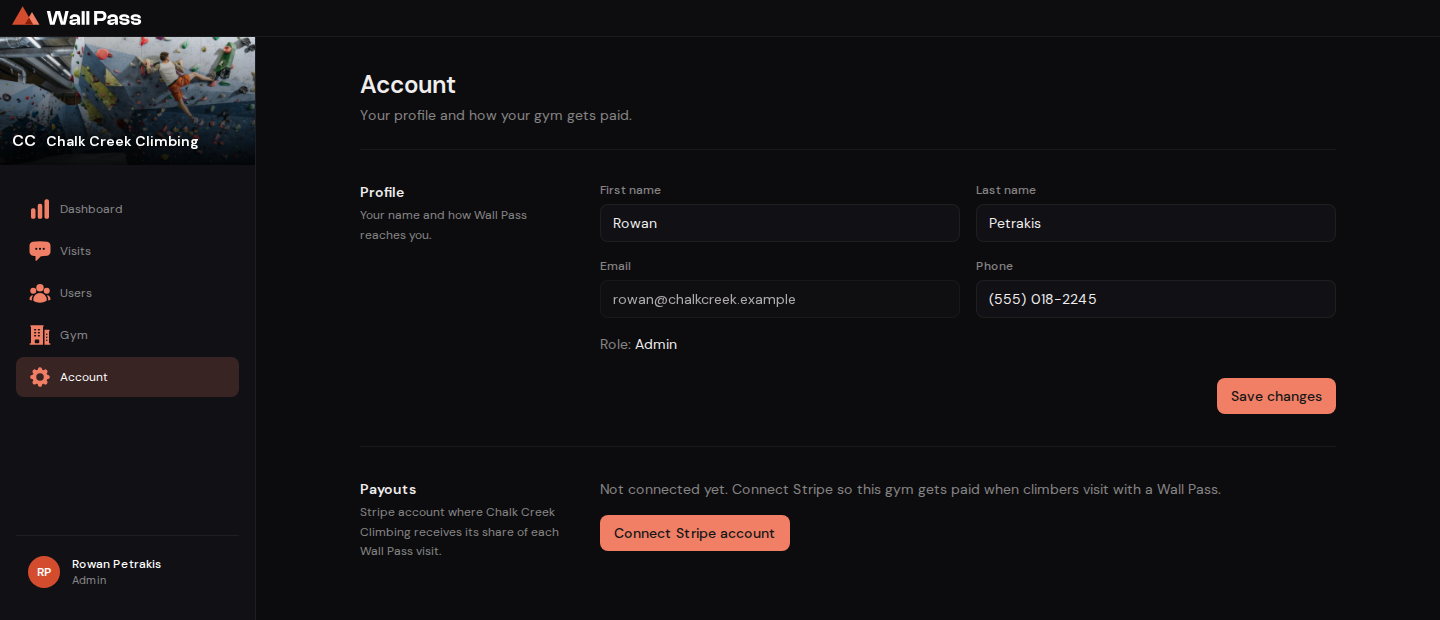
Before setup, Payouts shows a single Connect Stripe account button. Tap to enlarge. - 1One button. It hands you to Stripe and brings you back when you're done.
Step 2: Press Connect Stripe account
This hands you over to Stripe's own onboarding. You're not typing bank details into Wall Pass. We never see them.
Step 3: Fill in Stripe's form
Business details, the person legally responsible, and the bank account you want money in. Stripe asks for this to satisfy financial regulation, not because we asked them to. Have your EIN (or your SSN, if you're a sole proprietor) and your bank details ready.
Step 4: Come back to Wall Pass
Stripe returns you automatically.
Payoutsnow saysConnected, and anOpen Stripe dashboardbutton appears. If you left Stripe's form before the end it still saysConnected, so press Update account details to finish, or payouts won't arrive.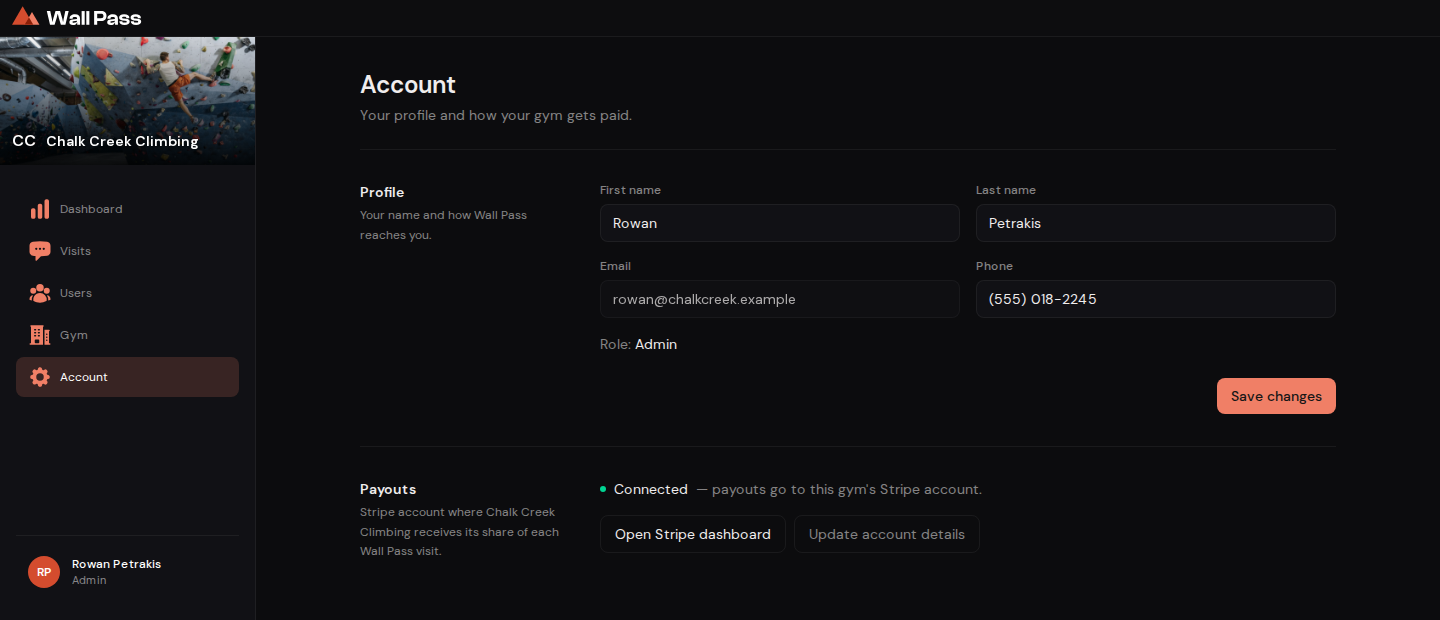
Connected. From here on, payouts are automatic. Tap to enlarge.
How the money moves
- Per visit, not per month
- A transfer is sent as soon as each visit is paid for, at check-in, not batched at month end. Refunds are pulled back the same way.
- When it hits the bank
- That's Stripe's schedule, not ours. It's usually a couple of days. Change it in your Stripe dashboard.
- Rental gear
- Gear a climber adds to a visit is paid out the same way, on the same transfer schedule.
Video coming soon: How to set up Stripe, about 4 min.
Common questions
Can I use an existing Stripe account?
Wall Pass sets up a new Stripe account for your gym. If you already use Stripe, sign in with that login when Stripe asks, and it can fill in your business details for you.
A climber visited before I connected Stripe. Do I lose that money?
No. Tell us and we'll re-run the payout once your account is live.
Where do I see individual payouts?
Open Stripe dashboard from the Account page. Each visit's payout is listed there as a Wall Pass visit payout, and gear as a rental gear payout, with its amount and date.