Refunding a visit
Two clicks. The money goes back to the climber's Wall Pass balance, and your payout is reversed with it.
3 min read
In short
Visits→ Refund on the row → confirm. Staff and admins can both do it.- The money goes back to the climber's Wall Pass balance instantly, not to their card.
- Your payout for that visit is reversed at the same time.
Wrong gym, double check-in, a climber who turned around at the door: refund it from the visits board. Both admins and front-desk staff can do this.
Step 1: Find the visit
getwallpass.com/admin→Visits. Anything Active or Completed has aRefundbutton on its row.Step 2: Press Refund and confirm
The dialog shows exactly what's going back before you commit.
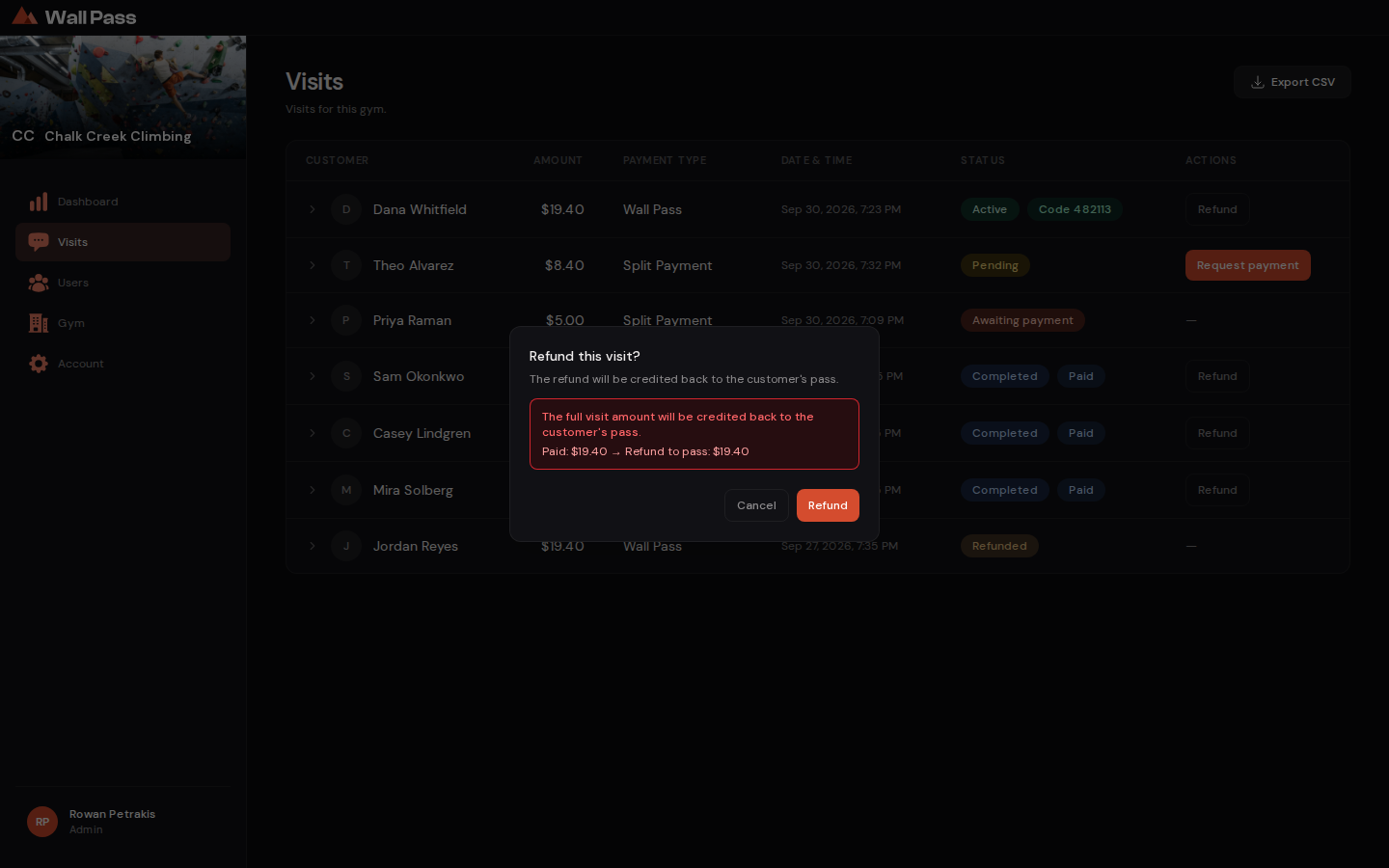
The amount is shown before you confirm. Nothing happens until you press Refund. Tap to enlarge.
What happens behind it
You press Refund
And confirm the amount
Your payout is reversed
Pulled back through Stripe
Their balance is credited
Instantly, not to a card
They get an email
Confirming the refund
Because the payout comes back too, a refunded visit costs your gym nothing. It shows up as a deduction in Stripe.
- If the row doesn't change
- Usually Wall Pass was still sending your payout for that visit, so try again in a minute. If it still doesn't turn Refunded, that visit's payout was settled with us directly and can't be refunded from the board. Email support@getwallpass.com.
- Challenge rewards can't be refunded
- A row with challenge reward as its payment type was free to the climber, so there's nothing to give back. Your gym is still paid for it.
- Gear added later isn't refunded
- The refund covers the visit and any gear bought at check-in. Gear they added during the visit stays paid.
- It can't be undone
- There's no un-refund. If it was a mistake, the climber checks in again with the balance you just gave back.