Adding admins and front-desk staff
Give everyone who works the desk their own login. It takes about thirty seconds each.
3 min read
In short
Users→ Invite → their name, email and role.- Staff for the front desk. Admin only for people who handle money and settings.
- Invites nobody has accepted wait in the
Invitestab, where you can revoke them.
Everyone who touches Wall Pass should have their own account. Shared logins mean you can't tell who refunded what, and you can't remove one person when they leave.
Step 1: Go to Users
getwallpass.com/admin→Users. Four tabs across the top:Customers,Admins,StaffandInvites.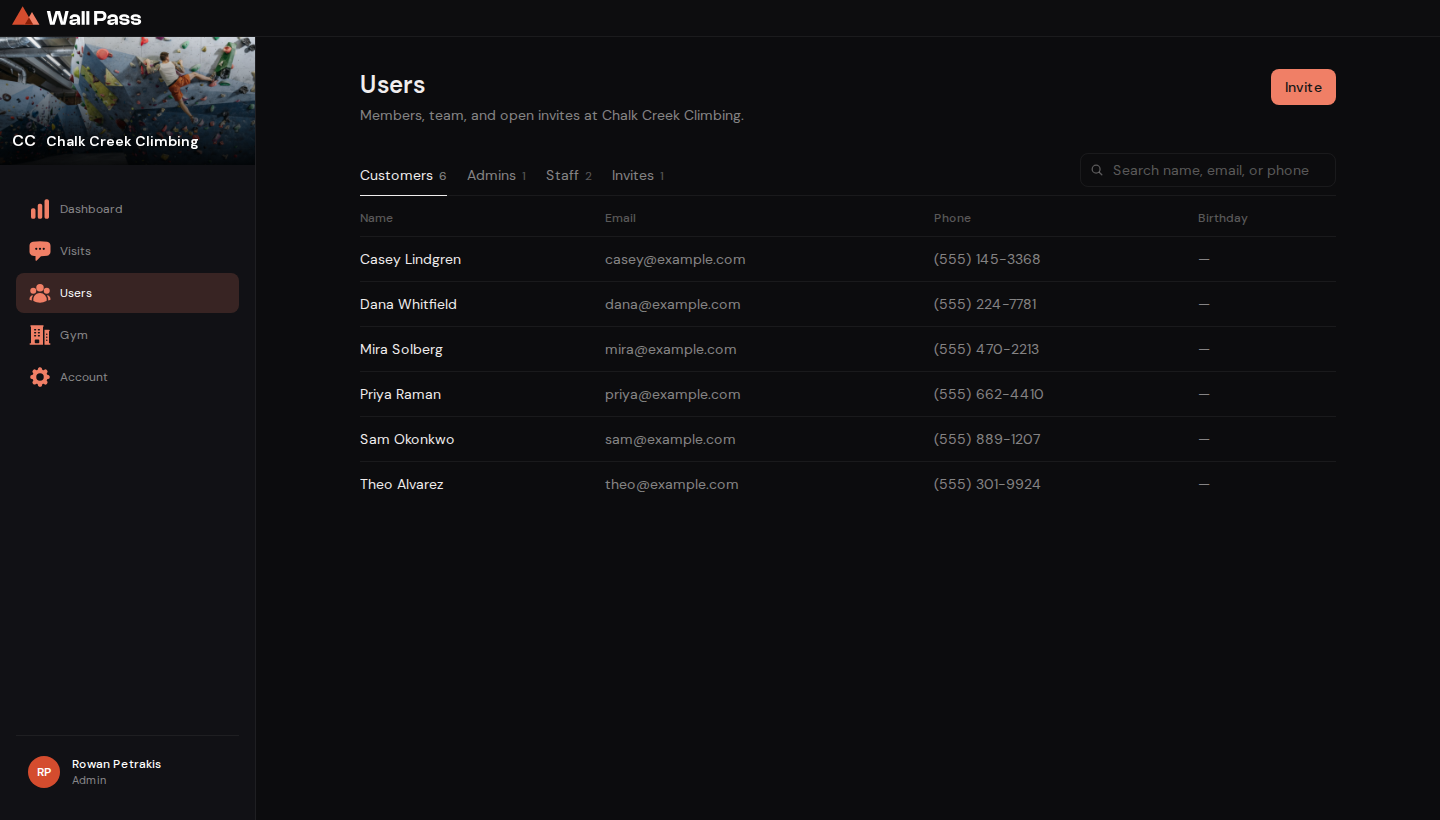
Everyone attached to your gym, in four tabs. Tap to enlarge. Step 2: Press Invite
Top right. Fill in their name and the email they'll actually sign in with.
Step 3: Pick Admin or Staff
The dialog starts on Admin. Switch it to Staff for the front desk, and keep Admin for people who should see money and settings.
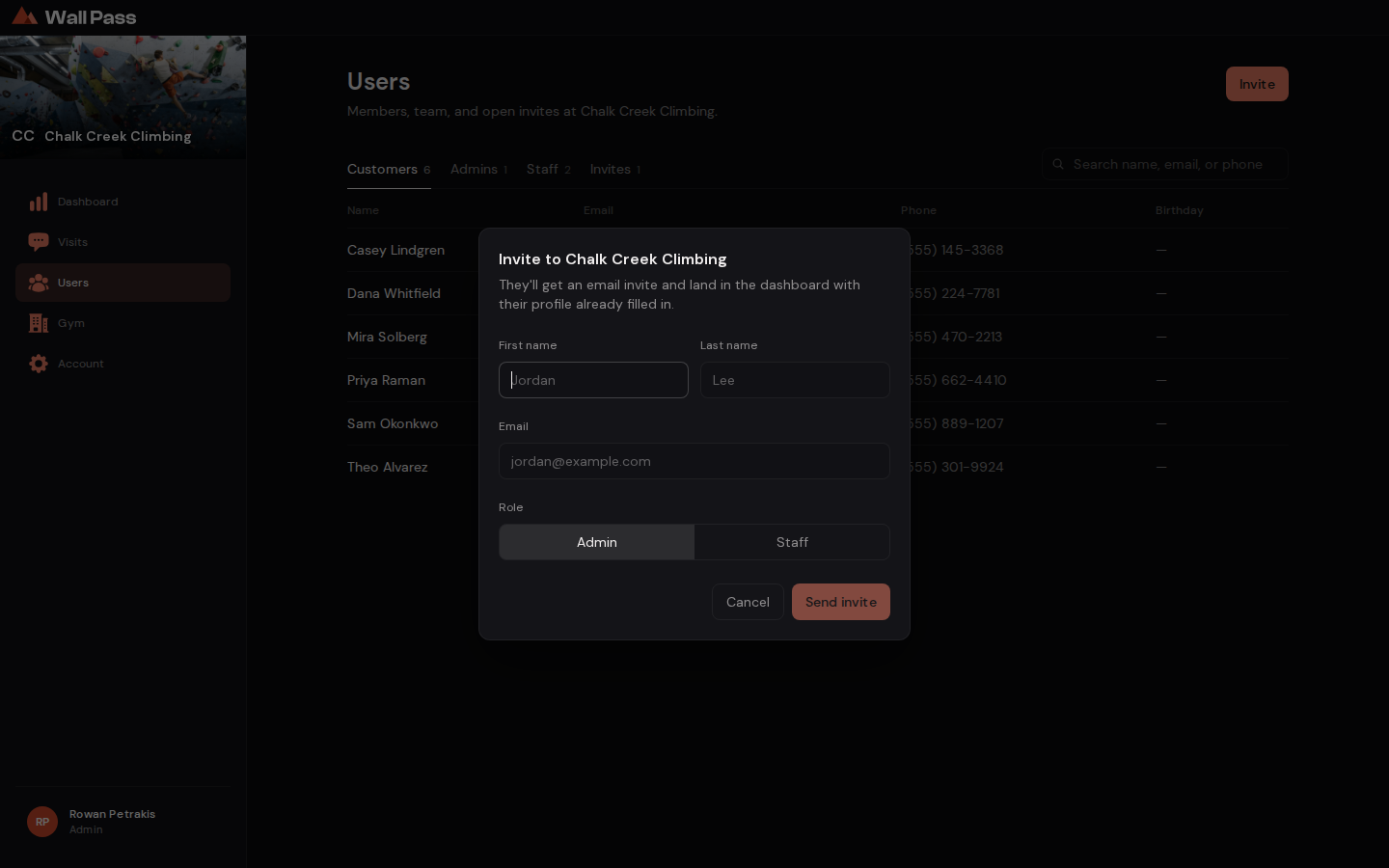
The role toggle is the only decision here. Tap to enlarge. - 1Staff for the front desk; Admin for people who should see money and settings.
Step 4: Send it
They get an email straight away. Until they accept, they sit in the
Invitestab. To send one again, revoke it there and invite them afresh.
What each role can do
Staff and Admin
- See the Visits board and match codes
- Request payment on a split visit
- Refund a visit
Admin only
- Dashboard and revenue
- Member list and contact details
- Gym settings: photos, prices, hours
- Stripe payouts
- CSV exports
- Invite and remove people
Video coming soon: Inviting your team, about 2 min.
Common questions
Someone left. How do I remove them?
Open Users, find them under Admins or Staff, and revoke their access. They lose the admin screens immediately.
They never got the email.
Check the Invites tab for a typo in the address, then revoke and send it again. Spam folders are the usual culprit.
Can one person work at two gyms?
An account belongs to one gym at a time, so someone working at two gyms needs a separate email address for each. If the gyms are one company, ask us about a gym group: its group admin runs every location from one login. Staff still belong to one gym.